Download on theApp Store
Terminal

Everything
flights.

Done right.
Terminalnow

LH400 moved to gate Z25.

Terminalnow

AF006 landed 8 min early.

Terminalnow

BA117 bags are on belt 4.

My Flights.

Live.

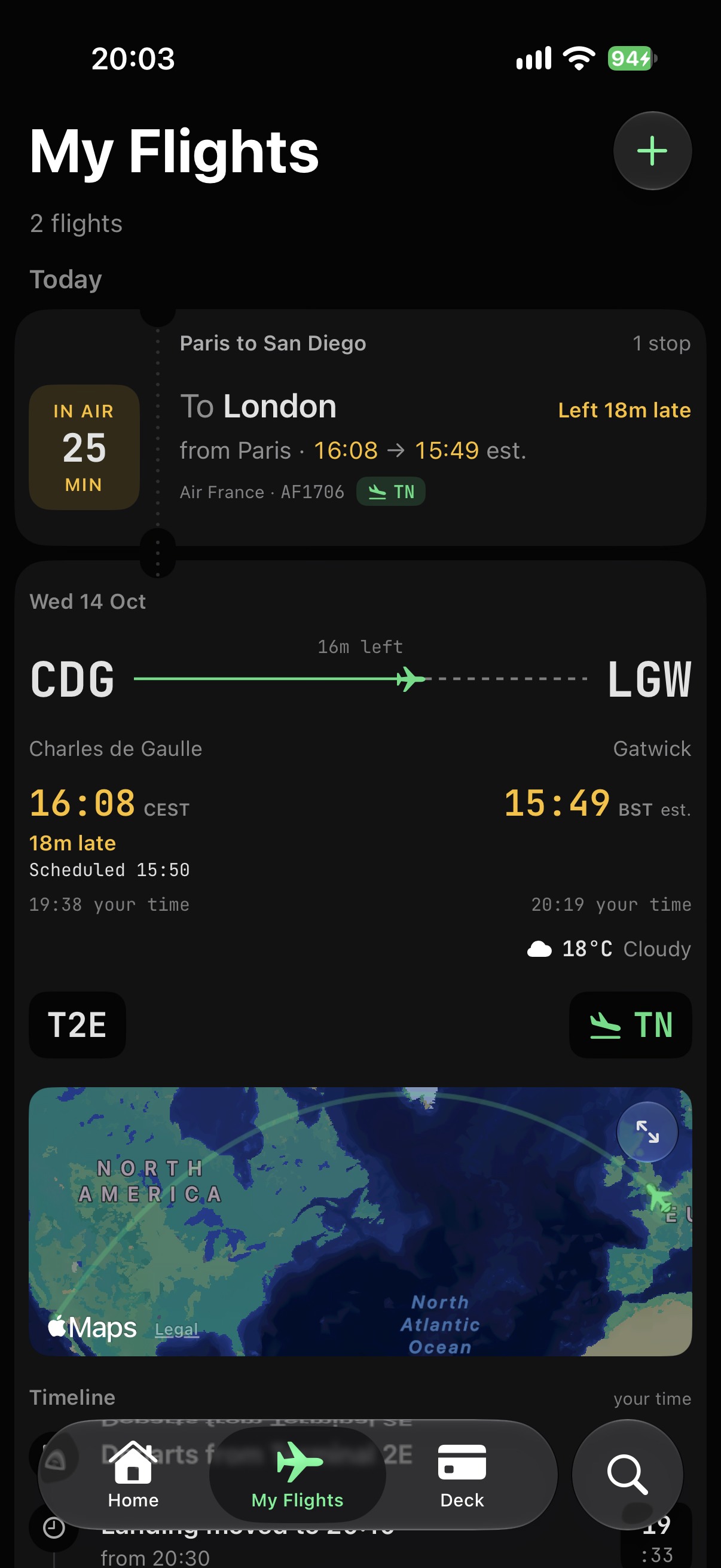
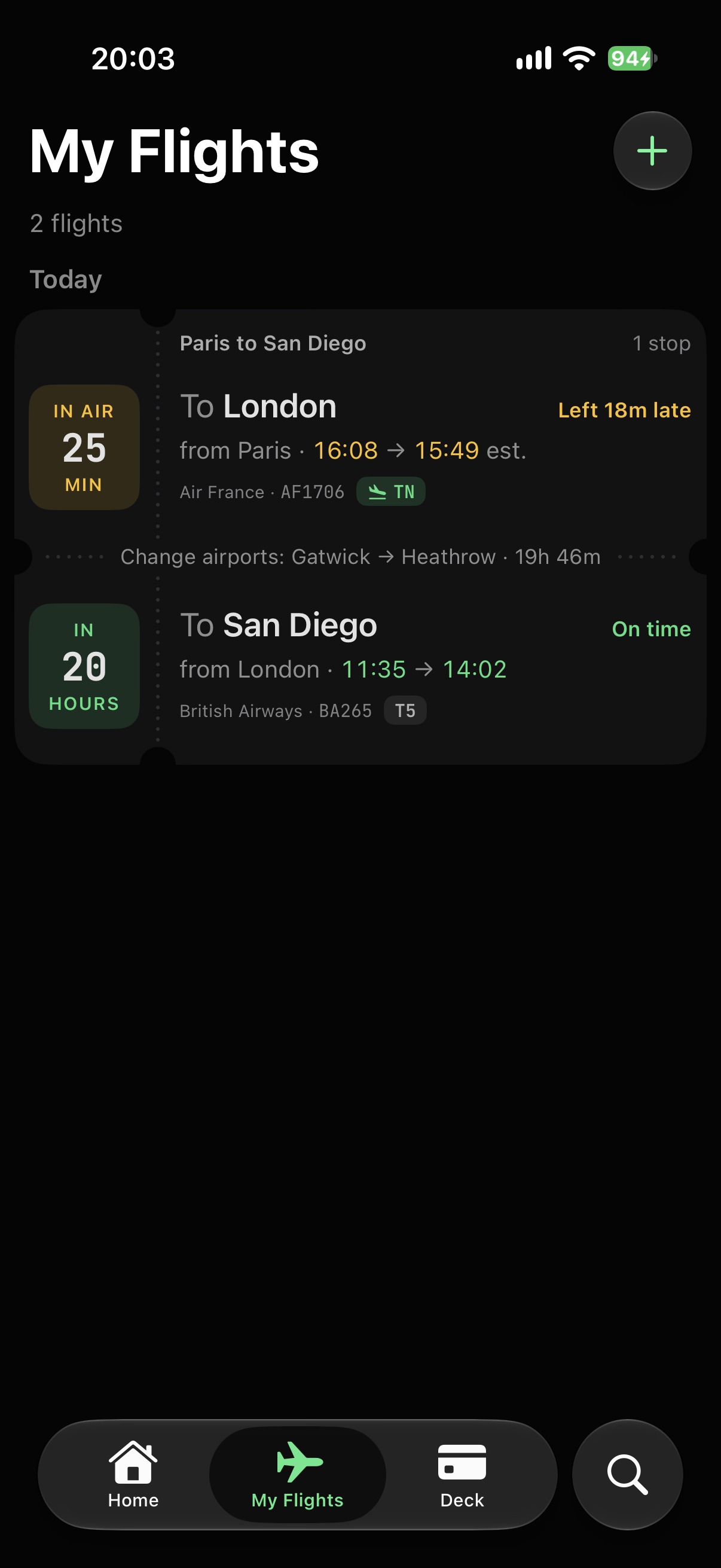
Gates, delays, takeoff and landing on the card, as they happen.

Connected.

Terminal joins every leg into one trip on its own, even when you change airports.

Import your flights.

Straight from your Calendar and Gmail, all in one go.
Plans change. The next step is already there.

Diverted.

Where it came down, and the next flight on, right under the card.

Cancelled.

Stamped on the card. For your own flights, the alert names the next one.

Connection at risk.

When a late flight squeezes your change, Terminal tells you.

Type a slash. Say it your way.

Type / in Search to list them. A letter or two is enough (/r is /return), and they stack: paris to london /return /mine.

  • /watch Flights you add go to your watchlist. Also /wl, /wlist, /watchlist, /follow, /track, /spot.
  • /mine Flights you add go to My Flights. Also /my, /me, /myflights, /own, /fly, /pax, /trip, /mytrip.
  • /land Times mean when it lands. Also /lands, /landing, /arr, /arrive, /arrival, /arriving, /eta.
  • /stops Include connections, not just direct. Also /stop, /connect, /connection, /connections, /via, /layover.
  • /return Add the trip back on another date. Also /rt, /rtn, /back, /roundtrip.

Search like you talk. Terminal works it out.

  1. Type a route.

    Today’s nonstops, fastest first. The quickest one is drawn on the map.

    sfo to new york

  2. Or just say it.

    Two days, two times, one sentence. Terminal picks up every part and searches both.

    • san franciscoSan Francisco: SFO, OAK, SJC
    • new yorkNew York: JFK, EWR, LGA
    • on the next sundaySun 25 Oct
    • at 9amLeaving around 09:00
    • or the next dayOr Mon 26 Oct
    • at 10pmLeaving around 22:00
  3. Add a command.

    The search changes with it. Add /land, and “by 9pm” means landing by 9pm.

Only the flights. The rest stays yours.

  1. From your calendar.

    Ask, and Terminal looks through the next twelve months on your phone. Only the events that hold a flight are picked out; the rest are left as they are.

  2. Into My Flights.

    Only a flight’s number and day leave your phone, to look it up. You choose what to add.

  3. Or forward the email.

    Forward a booking to your Terminal address and it becomes a flight. Terminal only sees what you forward.

  4. Yours to keep.

    Delete a flight and it’s gone from your phone, and our server stops watching it. No ads, and nothing about you is sold.

One app for every flight. On your iPhone.

Download on theApp Store